
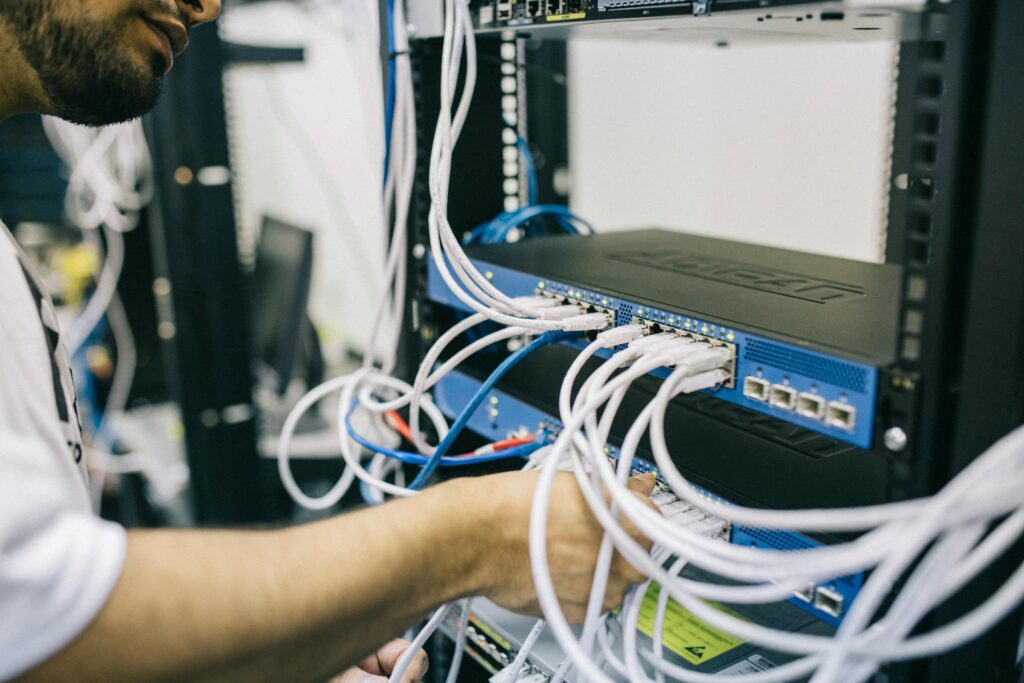



Cisco ACI Deep Dive: Tenants, Contexts, and Bridge Domains
Cisco Application Centric Infrastructure (ACI) has fundamentally changed how data centers are designed, operated, and scaled. By shifting the focus from device-by-device configuration to a centralized policy model, ACI allows network engineers to define intent once and have the fabric enforce it everywhere. But before you can harness that power, you need to understand the foundational building blocks: Tenants, Contexts (VRFs), and Bridge Domains.
This deep dive breaks down each of these constructs, explains how they relate to one another, and walks through real-world examples to show how they come together inside a Cisco ACI fabric.
Why the ACI Policy Model Matters

Traditional data center networking is imperative — you tell each switch exactly what to do. ACI is declarative — you describe what you want, and the APIC (Application Policy Infrastructure Controller) figures out how to make it happen across the fabric.
At the heart of this approach is a logical hierarchy:
Tenant
  └── VRF (Context)
        └── Bridge Domain
              └── Subnet
                    └── Application Profile
                          └── EPG (Endpoint Group)
Every piece of policy in ACI lives somewhere within this structure. Understanding where each object sits — and why — unlocks your ability to design networks that are both scalable and operationally clean.
Tenants: The Top-Level Administrative Boundary
What Is a Tenant?
A Tenant in Cisco ACI is the highest-level container for all policies, configurations, and objects. Think of it as an administrative domain of isolation. Everything from networking constructs to security policies lives inside a tenant.
ACI ships with three system-defined tenants that you cannot delete:
- common — Shared resources that can be reused across all other tenants (shared services, L3Outs, contracts)
- infra — Manages the underlying fabric infrastructure
- mgmt — Handles in-band and out-of-band management connectivity
Any additional tenants you create are user-defined and represent a logical grouping that makes sense for your organization.
When Should You Create a New Tenant?
The tenant boundary is typically used to separate:
- Different customers in a managed service provider environment
- Different business units within an enterprise (e.g., Finance, HR, Engineering)
- Different environments such as Production, Development, and Staging
For example, an MSP managing five enterprise clients would create five separate tenants. Each client’s networking and security policies remain fully isolated unless explicitly shared via the common tenant.
Key Characteristics of Tenants
- Tenants provide fault domain isolation — a misconfiguration in Tenant A cannot directly impact Tenant B
- Resources in the common tenant (like L3Outs or contracts) can be referenced by any user tenant, making them ideal for shared services
- Tenants do not inherently map to a specific VLAN, subnet, or VRF — those come from the objects nested inside them
Contexts (VRFs): Layer 3 Routing Domains
What Is a Context?
A Context, more commonly referred to as a VRF (Virtual Routing and Forwarding instance), defines a unique Layer 3 routing domain within a tenant. In ACI’s object model, the formal name is fvCtx, but most engineers simply call it a VRF.
Every Bridge Domain must be associated with exactly one VRF, and the VRF determines which routing table is used to forward traffic at Layer 3.
VRF Enforcement Modes
One of the most important attributes of an ACI VRF is its enforcement mode, which controls how contracts (security policies) are applied:
- Enforced mode (default) — All inter-EPG communication must be explicitly permitted by a contract. This is the recommended mode for production environments.
- Unenforced mode — All EPGs within the VRF can communicate freely without contracts. Useful during initial development or lab environments, but carries security risk.
Practical Example: Multiple VRFs in a Single Tenant
Imagine you’re building an ACI fabric for a financial services company. Within a single Finance tenant, you might create:
| VRF Name | Purpose |
|---|---|
prod-vrf |
Production workloads |
dev-vrf |
Development and testing workloads |
mgmt-vrf |
Out-of-band management traffic |
These three VRFs maintain completely separate routing tables. A host in dev-vrf cannot accidentally route traffic into prod-vrf without explicit policy permitting it — even though they live in the same tenant.
Shared vs. Tenant-Local VRFs
VRFs defined in the common tenant are accessible to all other tenants. This is useful for shared L3Out connections to the external network. A tenant can reference a VRF from common rather than creating its own, simplifying designs where multiple tenants need to reach the same external router.
Bridge Domains: The Layer 2 Broadcast Boundary
What Is a Bridge Domain?
A Bridge Domain (BD) is ACI’s equivalent of a VLAN or a Layer 2 broadcast domain — but with significantly more intelligence built in. Every Bridge Domain is associated with one VRF and can have one or more subnets defined directly on it.
Unlike traditional VLANs, a Bridge Domain in ACI is a fabric-wide construct. You don’t configure it per-switch; you define it once in APIC, and the fabric enforces it wherever endpoints are connected.
Bridge Domain Forwarding Behavior
The Bridge Domain has two key forwarding settings that determine how unknown traffic is handled:
- Flood in BD — Unknown unicast, multicast, and broadcast traffic is flooded within the BD (classic VLAN-like behavior)
- Hardware Proxy (Spine Proxy) — Unknown unicast traffic is sent to the spine where ACI’s distributed endpoint database resolves the destination (more scalable, reduces unnecessary flooding)
The Hardware Proxy mode is recommended for most production deployments because it dramatically reduces flooded traffic in large fabrics.
Subnets Within a Bridge Domain
Rather than assigning IP gateways to switch interfaces (SVIs), ACI places the gateway IP directly on the Bridge Domain. This is a major conceptual shift from traditional networking.
For example:
Bridge Domain: BD_WebTier
  VRF: prod-vrf
  Subnet: 10.10.10.1/24 (Gateway)
    Scope: Public / Advertised Externally
Any EPG associated with this Bridge Domain can use 10.10.10.1 as its default gateway. ACI’s distributed anycast gateway model means this IP is active simultaneously on every leaf switch where an endpoint in that BD is connected — eliminating the need for FHRP protocols like HSRP or VRRP.
Bridge Domain vs. EPG: A Critical Distinction
Many engineers new to ACI conflate Bridge Domains with EPGs, so this distinction is important:
- A Bridge Domain defines Layer 2/3 forwarding — where traffic floods and where the gateway lives
- An EPG (Endpoint Group) defines policy — which endpoints belong together and what contracts they use
Multiple EPGs can be associated with the same Bridge Domain. For instance, you might have:
Bridge Domain: BD_AppTier (10.20.20.0/24)
  ├── EPG: Web-Servers
  ├── EPG: App-Servers
  └── EPG: Cache-Servers
All three EPGs share the same IP subnet and gateway, but contracts between them still control which traffic flows are permitted.
Putting It All Together: A Real-World Design Example
Let’s walk through a simple three-tier application hosted in Cisco ACI:
Scenario: An e-commerce company needs to host a web application with separate tiers for web, application, and database servers.
Tenant Configuration
Tenant: ecommerce-prod
  VRF: prod-vrf (Enforced)
    Bridge Domain: BD_Web     → Subnet: 192.168.10.1/24
    Bridge Domain: BD_App     → Subnet: 192.168.20.1/24
    Bridge Domain: BD_DB      → Subnet: 192.168.30.1/24
Application Profile and EPGs
Application Profile: OnlineStore
  EPG: Web-Tier   → BD_Web
  EPG: App-Tier   → BD_App
  EPG: DB-Tier    → BD_DB
Contracts
Since the VRF is in enforced mode, contracts define all permitted traffic:
- Web-to-App contract: Allows HTTP/HTTPS from Web-Tier to App-Tier
- App-to-DB contract: Allows TCP/3306 (MySQL) from App-Tier to DB-Tier
Web-Tier servers cannot talk directly to DB-Tier servers — ACI enforces this policy at the hardware level on every leaf switch.
Common Design Considerations
Flooding vs. Proxy Trade-offs
If your application relies heavily on Layer 2 broadcasts (some legacy apps do), flood mode may be required on specific BDs. However, for modern containerized or virtualized workloads, hardware proxy mode significantly improves fabric performance.
Stretching Bridge Domains Across Sites
In multi-site ACI deployments managed by Nexus Dashboard Orchestrator, Bridge Domains can be stretched across multiple fabrics. The subnet gateway remains consistent, and the anycast model continues to work seamlessly.
Use the common Tenant Wisely
Overloading the common tenant with too many objects can make troubleshooting difficult. Restrict it to genuinely shared resources — default contracts, shared L3Outs, and DNS/NTP service EPGs.
Conclusion
Tenants, Contexts, and Bridge Domains are the structural foundation of every Cisco ACI deployment. Tenants provide administrative and fault isolation. VRFs define Layer 3 routing domains and enforce security boundaries. Bridge Domains handle Layer 2 forwarding and host the anycast gateways that replace traditional SVI configurations.
Mastering these three constructs gives you the vocabulary and the mental model to design scalable, secure, and operationally efficient data center networks on Cisco ACI. From there, EPGs, contracts, and application profiles build on this foundation to deliver the full power of ACI’s intent-based, policy-driven SDN architecture.