






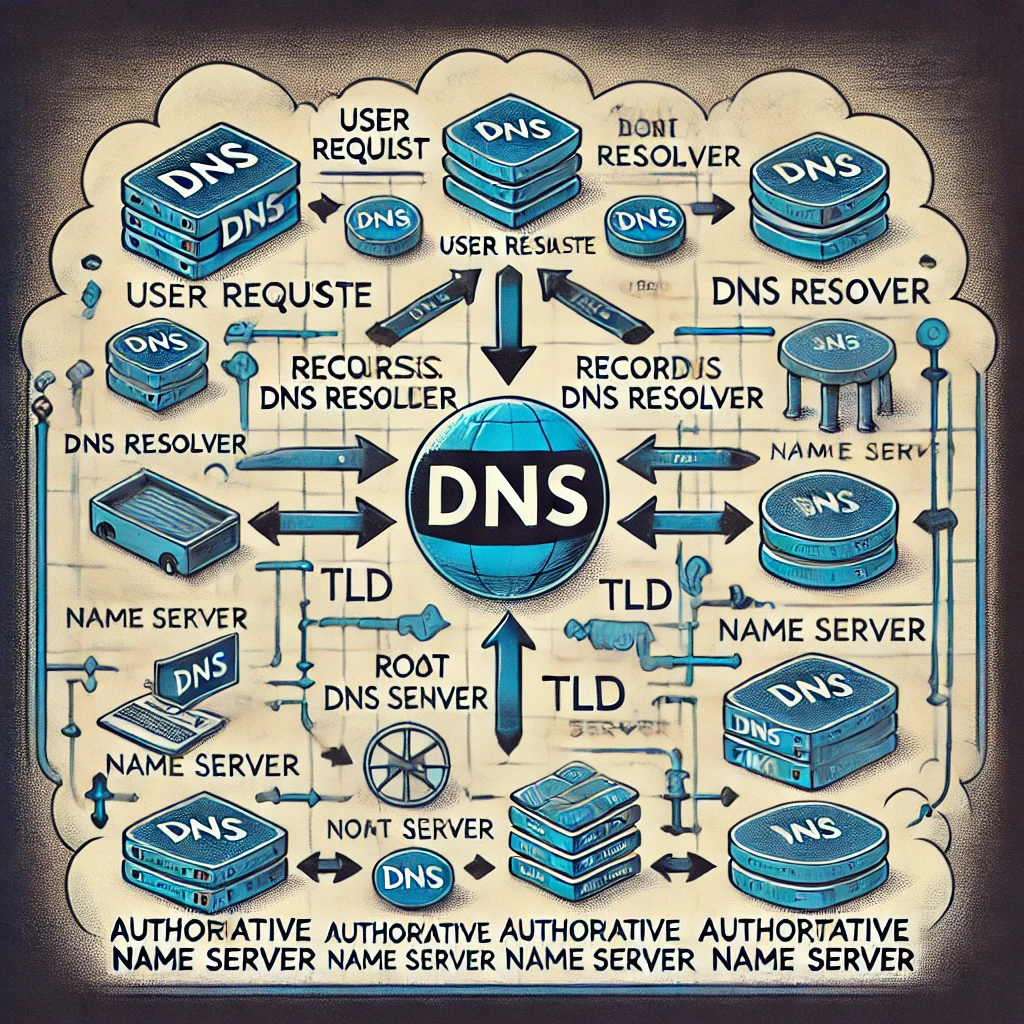

The Domain Name System (DNS) is one of the most critical components of the internet, yet many people don’t realize how it works. Without DNS, we would have to memorize numerical IP addresses (e.g., 192.168.1.1) for every website we visit. DNS simplifies this by translating human-readable domain names (e.g., google.com) into machine-friendly IP addresses, just like a phonebook translates names into phone numbers.
In this guide, we’ll explain what DNS is, how it works, and why it matters for website performance, security, and everyday internet browsing.
🔍 What is DNS?
DNS stands for Domain Name System, and it serves as the phonebook of the internet. It enables users to access websites using domain names instead of numerical IP addresses.
For example, when you type www.example.com in your browser, DNS resolves this into an IP address like 192.0.2.1, allowing your device to locate the correct web server.
Why is DNS Important?
✅ User-Friendly Navigation – Eliminates the need to memorize IP addresses.
✅ Load Balancing & Performance Optimization – Directs traffic efficiently.
✅ Security Features – Protects users from phishing and malicious attacks.
✅ Scalability – Supports the expansion of the internet by managing domain records globally.
⚙️ How DNS Works: Step-by-Step Process
When you enter a website URL, your device performs a DNS lookup to retrieve the corresponding IP address. This process involves multiple steps and DNS servers working together.
Step 1: User Requests a Website
You type www.example.com into your browser. The request is sent to a recursive DNS resolver, which begins searching for the IP address.
Step 2: Checking Cache
Before reaching out to DNS servers, the resolver checks if it has a cached record of the domain.
- If found → It returns the IP address immediately.
- If not → The resolver continues the query.
Step 3: Querying the Root DNS Server
The recursive resolver contacts a root DNS server to find the Top-Level Domain (TLD) server responsible for .com domains.
Step 4: Querying the TLD Server
The TLD server (e.g., .com TLD) directs the query to the authoritative name server of example.com.
Step 5: Retrieving the IP Address from the Authoritative Name Server
The authoritative DNS server holds the actual IP address of www.example.com and responds with it.
Step 6: Website Loads
The browser receives the IP address and requests the webpage from the web server, displaying it on your screen.
🔹 Total time for DNS resolution? Usually milliseconds, thanks to caching and efficient DNS infrastructure.
🌍 Types of DNS Servers
1️⃣ Recursive DNS Resolver
- First point of contact in a DNS lookup.
- Finds the IP address by querying multiple servers if necessary.
- Often provided by ISPs (e.g., Google Public DNS
8.8.8.8, Cloudflare1.1.1.1).
2️⃣ Root DNS Server
- Directs queries to the appropriate TLD name servers (e.g.,
.com,.org). - There are 13 root servers globally, managed by organizations like ICANN.
3️⃣ TLD Name Server
- Manages domain extensions (
.com,.net,.org). - Directs requests to the domain’s authoritative name server.
4️⃣ Authoritative Name Server
- Holds DNS records for specific domains.
- Provides the final answer for a DNS lookup.
🔐 DNS Security: Protecting Against Threats
Since DNS is a critical part of the internet, it is often targeted by cybercriminals. Here are some common DNS threats and how to protect against them:
🚨 Common DNS Attacks
- DNS Spoofing (Cache Poisoning) – Attackers inject false DNS records to redirect users to malicious websites.
- DDoS Attacks on DNS Servers – Overloads DNS infrastructure, making websites inaccessible.
- Man-in-the-Middle Attacks – Intercepts DNS requests to manipulate responses.
🛡️ How to Protect DNS?
✅ Use DNSSEC (DNS Security Extensions) to verify DNS responses.
✅ Configure firewalls to block suspicious traffic.
✅ Use trusted DNS providers like Google (8.8.8.8), Cloudflare (1.1.1.1), or OpenDNS (208.67.222.222).
✅ Regularly monitor DNS logs for unusual activity.
🚀 Improving Website Performance with DNS
DNS affects not just security but also website speed and reliability.
How to Optimize DNS Performance?
🔹 Use a Fast DNS Provider – Google DNS (8.8.8.8), Cloudflare (1.1.1.1), and Quad9 (9.9.9.9) offer high-speed DNS resolution.
🔹 Enable DNS Caching – Reduces lookup times by storing previously resolved addresses.
🔹 Implement Anycast Routing – Directs users to the nearest DNS server for faster response times.
🔹 Use a Content Delivery Network (CDN) – Reduces latency by distributing website content across multiple locations.
🎯 Final Thoughts
The Domain Name System (DNS) is essential for seamless internet browsing, translating domain names into IP addresses efficiently. Understanding how DNS works helps improve network performance, security, and overall online experience.
Whether you’re managing a personal blog or an enterprise website, optimizing DNS security, performance, and reliability is crucial for keeping users connected and safe.
💡 Want more networking insights? Follow Packet-Switched.com for expert guides and IT best practices! 🚀